Last updated: October 2026
A hook transition is the cut that carries a viewer from an attention-grabbing opening into the main part of your video. Done well, it feels like one continuous motion: a jump lands and becomes your product hitting the table; a splash becomes a pour; a shocked face becomes the reveal. Done badly, it feels like two unrelated clips glued together, and viewers swipe. This guide explains how hook transitions work and how to edit them cleanly in any app.
Why transitions matter more than the clip itself
Most creators spend their time choosing the hook clip and almost none on the cut. But viewers do not notice a clip — they notice continuity. When motion, direction and timing carry across the cut, the brain reads it as one event and keeps watching. When they break, the viewer gets a tiny pause to decide whether to stay. On short-form apps, that pause is often where the swipe happens.
The three rules of a clean hook transition
1. Match the direction of motion
If the hook clip moves downward (a fall, a dive), your first shot should also move down or start at the bottom of the frame. If it moves left to right, keep that direction. Opposing directions feel like a jolt rather than a flow.
2. Cut on the peak of the action
The best cut point is the moment of maximum energy — the impact, the splash, the top of the jump, the widest part of the reaction. Cutting a frame or two before the peak and letting your own footage “finish” the motion makes the transition feel almost invisible.
3. Match the energy, then change the subject
A fast, loud hook followed by a slow, quiet first shot feels like a mistake. Keep the energy level similar for the first second after the cut, then settle into your normal pace.
Five transition styles to try
- Match cut: a shape or movement in the hook lines up with one in your footage — a ball becomes an orange, a spinning wheel becomes a spinning plate.
- Whip pan: the hook ends with a fast camera move and your footage starts with a fast move in the same direction. Add a little motion blur to blend them.
- Impact cut: cut on the exact frame of a landing or collision, and add a short bass hit or sound effect.
- Splash or cover cut: water, smoke or a hand covers the lens, and your footage starts as it clears.
- Reaction cut: a face reacts to something off screen, and the next shot is the thing they reacted to — your content.
How to edit a hook transition step by step
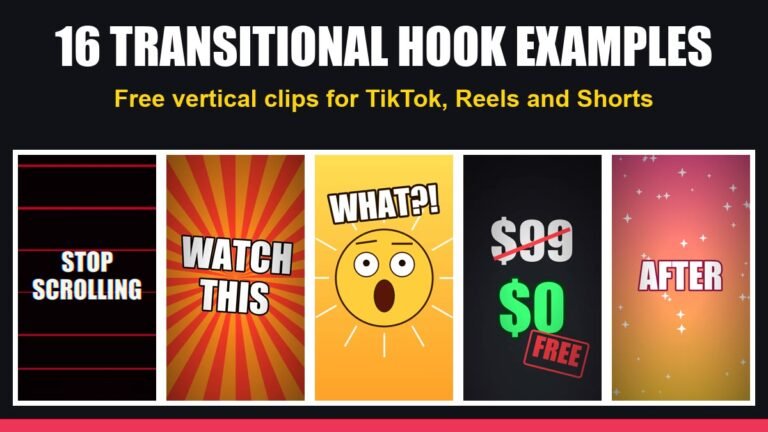
- Pick a clip from the Hook Library whose motion matches your first shot. Use the category guide if you are unsure.
- Import the hook and your footage into CapCut, VN, InShot or Premiere Rush. Put the hook first.
- Scrub frame by frame to find the peak of the action. Split the hook clip there.
- Place your first shot directly after the split. Play it back at full speed — not frame by frame — to judge the feel.
- If the cut feels jumpy, nudge it one or two frames earlier, or add a short speed ramp to the last few frames of the hook using the Video Speed Changer.
- Add your text hook so it appears on the first frame and stays through the transition.
- Add a sound effect on the cut — a whoosh, a hit or a splash — to glue the two clips together.
- Export at 1080×1920, then check text placement with the Safe Zone Checker.
Timing: how long should the hook be?
Keep the hook clip itself between one and three seconds. Longer than that and viewers start waiting for “the real video”. A useful rule: the transition should happen before the viewer has fully understood what the hook clip is. That leftover curiosity is what carries them into your content.
Mistakes to avoid
- Using a hook clip that has nothing to do with the mood of your video.
- Adding a flashy built-in transition effect on top of the cut — the motion should do the work.
- Letting the hook clip run to its natural end before cutting.
- Using the same hook clip on every post.
- Forgetting sound: a silent cut feels weaker than one with a matching effect.
Putting it together
A strong opening combines three layers: a visual hook that interrupts the scroll, a clean transition that carries the motion into your content, and a spoken or written line that makes a promise. For the third layer, read How to Create Attention-Grabbing Video Hooks and test your line in the Hook Analyzer.