Last updated: October 2026
Stable footage looks professional; shaky footage gets swiped. But “stable” means different things depending on what you film. A tripod keeps the camera perfectly still. A gimbal keeps it smooth while it moves. Most creators need one first — and some eventually need both.
Quick answer
- Talking-head, tutorials, cooking, desk content: get a tripod first.
- Vlogs, travel, walking tours, sports, real estate: a gimbal makes a big difference.
- Mixed content: start with a tripod and a phone with good built-in stabilisation; add a gimbal when movement shots become a regular part of your videos.
Tripods
What a tripod is best for
- Consistent framing take after take
- Filming yourself without someone else holding the phone
- Overhead shots for cooking, crafts and unboxing (with an arm or overhead mount)
- Timelapses and long takes
What to look for
- Height: it should reach eye level when you’re standing — roughly 150 cm or more.
- Vertical mount: a phone clamp that rotates to portrait for 9:16.
- Stability: wobbly legs defeat the purpose.
- Bluetooth remote: start and stop recording from where you stand.
- Compact option: a small flexible tripod for travel and tabletop shots.
Gimbals
What a gimbal is best for
- Walking and talking without bouncy footage
- Smooth follow shots, reveals and orbits
- Tracking a subject automatically with face or object tracking
- Creative transitions: spins, “dolly zoom”-style pushes, whip pans
What to look for
- 3-axis stabilisation for smooth footage
- Subject tracking that works with your phone’s camera app or the gimbal’s app
- Quick portrait switching for vertical video
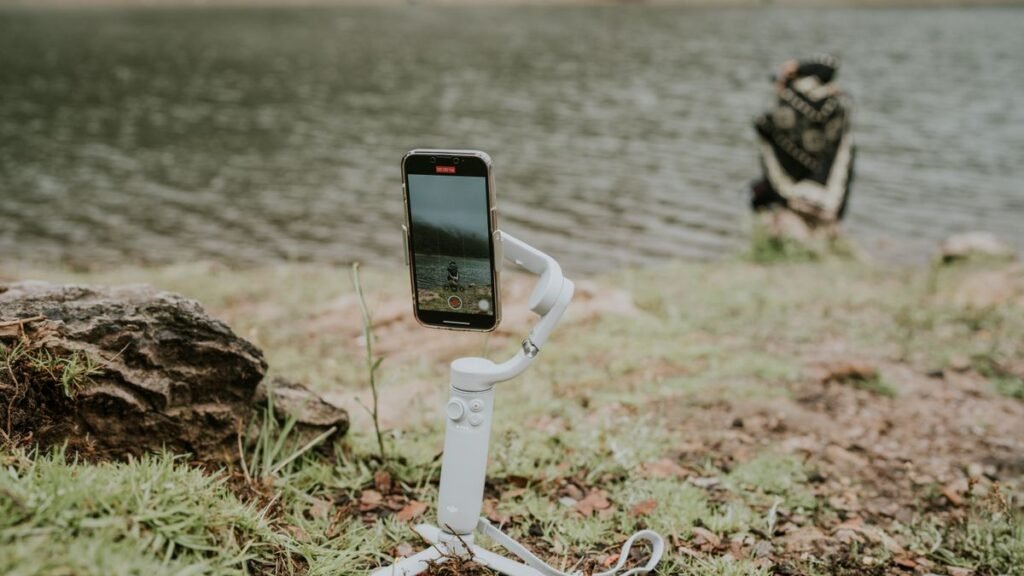
- Built-in extension rod or tripod legs — many gimbals double as a mini tripod
- Weight and battery life suitable for long shoots
Popular phone gimbals come from brands like DJI, Insta360, Hohem and Zhiyun. Compare current models and reviews, since new versions arrive often.
Do modern phones make gimbals unnecessary?
Partly. Flagship phones now have strong optical and electronic stabilisation, and some offer “action” modes that are very smooth while walking. But a gimbal still helps with:
- Low light, where electronic stabilisation gets weaker
- Long, smooth movements and slow pans
- Subject tracking without someone filming you
If your phone’s stabilisation already looks good when you walk, a gimbal is a “nice to have” rather than essential. See what matters in a filming phone.
Side-by-side
| Tripod | Gimbal | |
|---|---|---|
| Best for | Static shots, talking, tutorials | Movement, vlogs, tracking |
| Learning curve | None | Some practice |
| Setup time | Seconds | Balance + power on |
| Needs charging | No (except remote) | Yes |
| Cost | Low | Medium |
5 hook shots you can film
With a tripod
- The drop-in: start with an empty frame, then jump or step into shot on the first beat.
- The overhead reveal: hands sweep away to reveal the finished result.
With a gimbal
- The push-in: walk quickly toward your subject as the video starts.
- The orbit: circle around a product or person while the gimbal tracks it.
- The spin transition: rotate the phone to cut between two scenes.
Short on time to film your own? Our hook library has vertical action clips you can use as openers.
FAQ
Can a gimbal be used as a tripod?
Many phone gimbals have small tripod legs for tabletop shots. They’re usually too short and light to replace a full-size tripod.
Is a selfie stick good enough?
A selfie stick tripod is a cheap starting point for travel and static shots, but it won’t smooth out walking footage.
What should I buy first?
A sturdy tripod with a vertical phone mount and a Bluetooth remote. It improves almost every type of content.
Bottom line: tripod for still shots, gimbal for moving shots. Buy for the content you make most often, and pair either with good light and clear audio.


